
8GB is not a universal failure point. The practical question is whether your normal workload causes sustained memory pressure, paging and slow application switching.
8GB can work, but workload matters more than a slogan
Eight gigabytes of RAM is not automatically incompatible with Windows 11, and it does not guarantee that a PC will be slow. A lightly used laptop may handle browsing, documents and streaming acceptably. The limit becomes more noticeable when several memory-heavy tasks run together, such as many browser tabs, a video meeting, image editing, development tools or a game.
Windows also uses available memory for caching, so a high memory percentage by itself does not prove a problem. Look for symptoms that occur at the same time: slow application switching, disk activity during tab changes, apps reloading, pauses when moving between tasks, or a workload that improves when you close one application.
What to measure before buying more RAM
A memory snapshot is more useful when recorded at the moment of the problem. Idle memory use alone does not tell you how the PC behaves during your real workload.
- Reproduce your normal workload: open the applications and tabs you actually use rather than testing an empty desktop.
- Open Task Manager with Ctrl + Shift + Esc and inspect Memory, Committed, and the Processes list while the slowdown occurs.
- Record memory use, available memory and whether the system is also showing heavy disk activity or high CPU usage.
- Repeat the same workload after closing one unusually heavy application. If responsiveness improves consistently, memory pressure may be contributing.
- Check whether the laptop supports a RAM upgrade and whether its memory is soldered, socketed, or a combination. Confirm the exact model and supported capacity before purchasing.
- If the system remains slow with memory available, investigate startup tasks, storage health, thermals and CPU load before assuming RAM is the only bottleneck.
Why paging can make an 8GB system feel slower
When applications need more physical memory than is comfortably available, Windows can move less-active memory pages to storage and retrieve them later. This is normal virtual-memory behavior, not automatically a fault. But repeated paging during active multitasking can add delays, especially when the storage device is already busy or slow.
The tell is not simply that a page file exists. Look for a repeatable relationship between memory pressure, disk activity and the slowdown. A failing drive, background update or heavy application can also cause disk activity, so use more than one signal.
When 16GB is a sensible upgrade
For a PC that regularly keeps a browser, office applications, messaging, and a video call open together, 16GB can provide more breathing room than 8GB. It is also a common practical target for mainstream multitasking and many games, but the best capacity depends on the software and the machine.
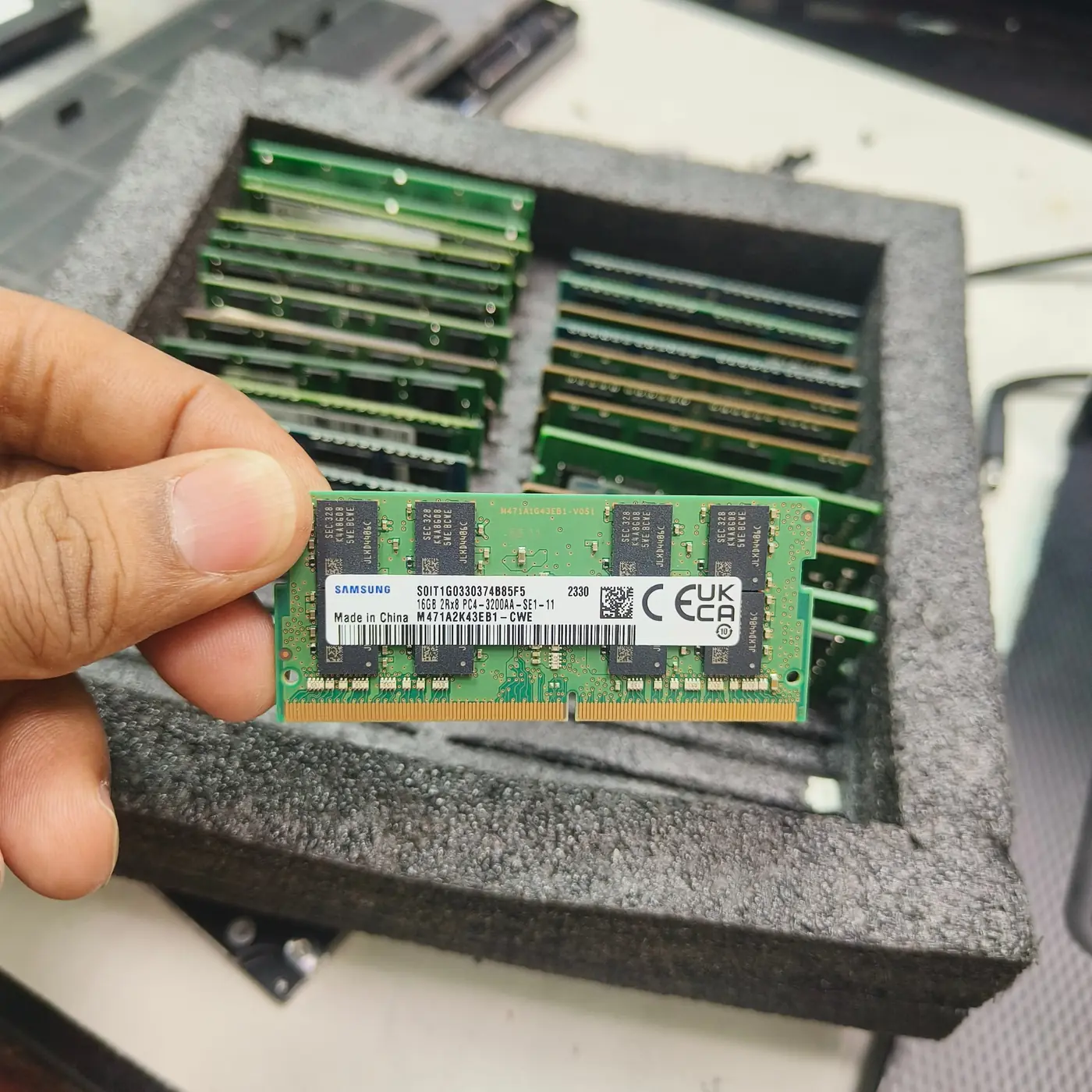
Before buying, verify whether memory is replaceable, how many slots are available, the current module layout, supported speed and maximum capacity. Some thin laptops have soldered memory that cannot be upgraded; others have one open slot or require a matched kit. Do not buy based only on the laptop family name.
| Typical workload | What to evaluate | Upgrade signal |
|---|---|---|
| Light browsing and documents | Responsiveness with your normal tabs and apps | Upgrade only if you can reproduce memory pressure |
| Many tabs, meetings and office apps | Memory committed, available RAM and app reloads | Repeated slow switching alongside low available memory |
| Photo/video work or development tools | Project size, application recommendations and multitasking | Workload regularly exceeds comfortable memory headroom |
| Gaming while streaming or running other apps | Game-specific requirements, background apps and frame-time behavior | Stutter or reloads correlate with memory pressure |
| Slow even with memory available | CPU, storage, thermals, drivers and startup load | Fix the measured bottleneck rather than buying RAM blindly |
Do not confuse high memory use with a fault
Cached memory can be reclaimed, and some applications intentionally use RAM to improve responsiveness. A memory leak is more plausible when one process grows continuously over time and the behavior is repeatable, not merely because Task Manager reports a large percentage.
If the PC freezes, crashes or reports memory errors, test for stability separately. More RAM will not repair a defective module, incompatible settings, a failing SSD or a thermal problem.
Bottom line
Eight gigabytes can still be usable, but the margin for simultaneous modern applications is limited. Measure your normal workload, look for repeated memory pressure and paging symptoms, and check upgrade compatibility before spending money. The best upgrade is the one that addresses a measured constraint on your specific PC.
This guide explains how to measure memory pressure on a real system; it does not claim a universal benchmark result. Results depend on Windows build, installed memory, integrated graphics, applications, browser tabs and background workloads.
See the evidence behind this topic
These TWW research pieces examine the measurements, mechanisms, or testing questions related to this guide. Research pages distinguish measured results from general technical guidance.
- Windows Shows 100% Disk Usage but Very Low MB/s: What Is Actually Happening?100% active time is not the same thing as 100% storage bandwidth. The difference is the key to diagnosing many Windows disk complaints.
- Does More RAM Actually Make Windows Faster? What to Measure Before UpgradingRAM capacity is valuable when the workload needs it. The mistake is treating every slow PC as a memory-capacity problem.
Sources & further reading
Frequently asked questions
Is 8GB RAM enough to run Windows 11?
It can run Windows 11, but comfort depends on the applications and multitasking load. Measure your normal workload before deciding whether an upgrade is needed.
Will upgrading from 8GB to 16GB always make my laptop faster?
No. It helps most when the workload is constrained by memory pressure. If CPU, storage, thermals or software is the limiting factor, extra RAM may have little effect.
Can I upgrade the RAM in every laptop?
No. Some laptops use soldered memory, and supported capacity and module layouts vary by exact model. Check the service manual or manufacturer specifications before buying.
We distinguish documented facts, measured results, and informed guidance. If a claim depends on a specific device, software version, game, or test method, that context should be stated rather than implied.
Meet the author·See our testing methodology·Read our editorial policy